Beginner and mid-range DJ controller guide
Introduction
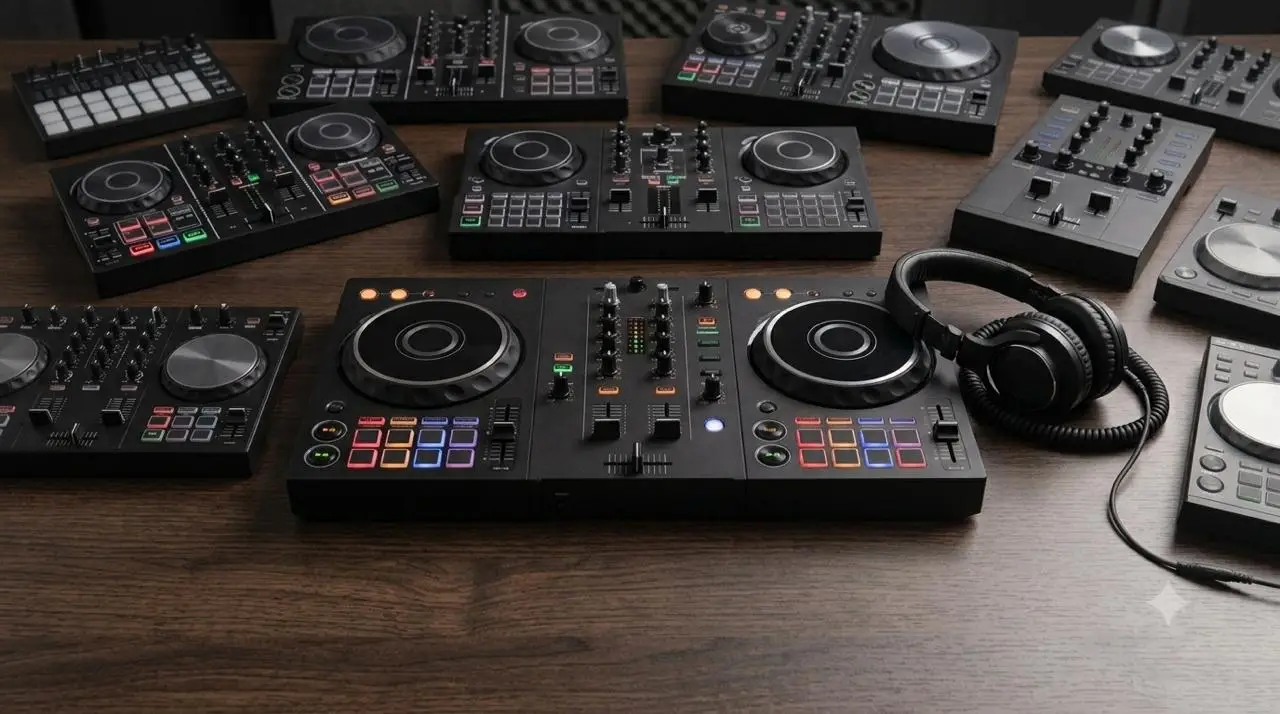
Today we’re going to talk about DJ controllers. There’s a wide range of models and price points, but in general, there’s a significant divide between equipment priced above and below 1,000 €. In this article, we’ll focus on those priced below that amount. Among them, we can find what are known as entry-level and mid-range models, as well as those I’ve subdivided based on their lack of jog wheels, which are a less common type.
These controllers are often thought of as tools for beginners, simply because they’re usually made with more affordable materials and sometimes have fewer buttons or features. Even so, this article can be useful both for those just starting out and for those who’ve been DJing for a while but don’t want to spend a lot—yet still use DJ software and want to get the most out of it.
When buying their first setup, many people have doubts: Is it worth spending very little? Should I spend a little more so that if I like it, I’ll already have a professional setup? If you’re on a tight budget or have never used a DJ setup before, it makes sense to start with affordable options.
People often have reservations about small devices because of their potential limitations, but one thing is certain: these limitations can become frustrating if you buy the device without taking them into account. The limitations themselves aren’t necessarily a bad thing, because if you reach a point where you realize you need that control, feature, touch functionality, or audio output, it’s because you want to use the device and take it further. And that’s when it makes sense to upgrade.
Let’s take a closer look at each product line and see which device might be right for you.
Entry-level range
Entry-level controllers are characterized by offering the essential features needed to start DJing at a relatively affordable price. They are typically two-channel, compact units with more limited connectivity than higher-end models.
They are a good option for those just starting out who don’t want to make a large investment, but also for experienced DJs looking for a simple, portable, or secondary setup.
Keep in mind that entry-level controllers operate through a computer (or mobile device) program, so any limitations in the number of hardware buttons can always be compensated for or supplemented by the software. Obviously, what you can actually do will depend on the specific software used and whether it’s the professional version.
NOTE There are very small and more affordable controllers, but we won’t go into detail about them here, since they’re very limited and the experience doesn’t come close to DJing with standard DJ gear. In my opinion, I’d only recommend them if you can’t spend a single penny more and really want to use physical controls, since you can do the same thing—and quite a bit more—using just computer software, a mouse, and a keyboard.
Let’s take a look at the current models we recommend for getting started:
Models
Numark Party Mix III
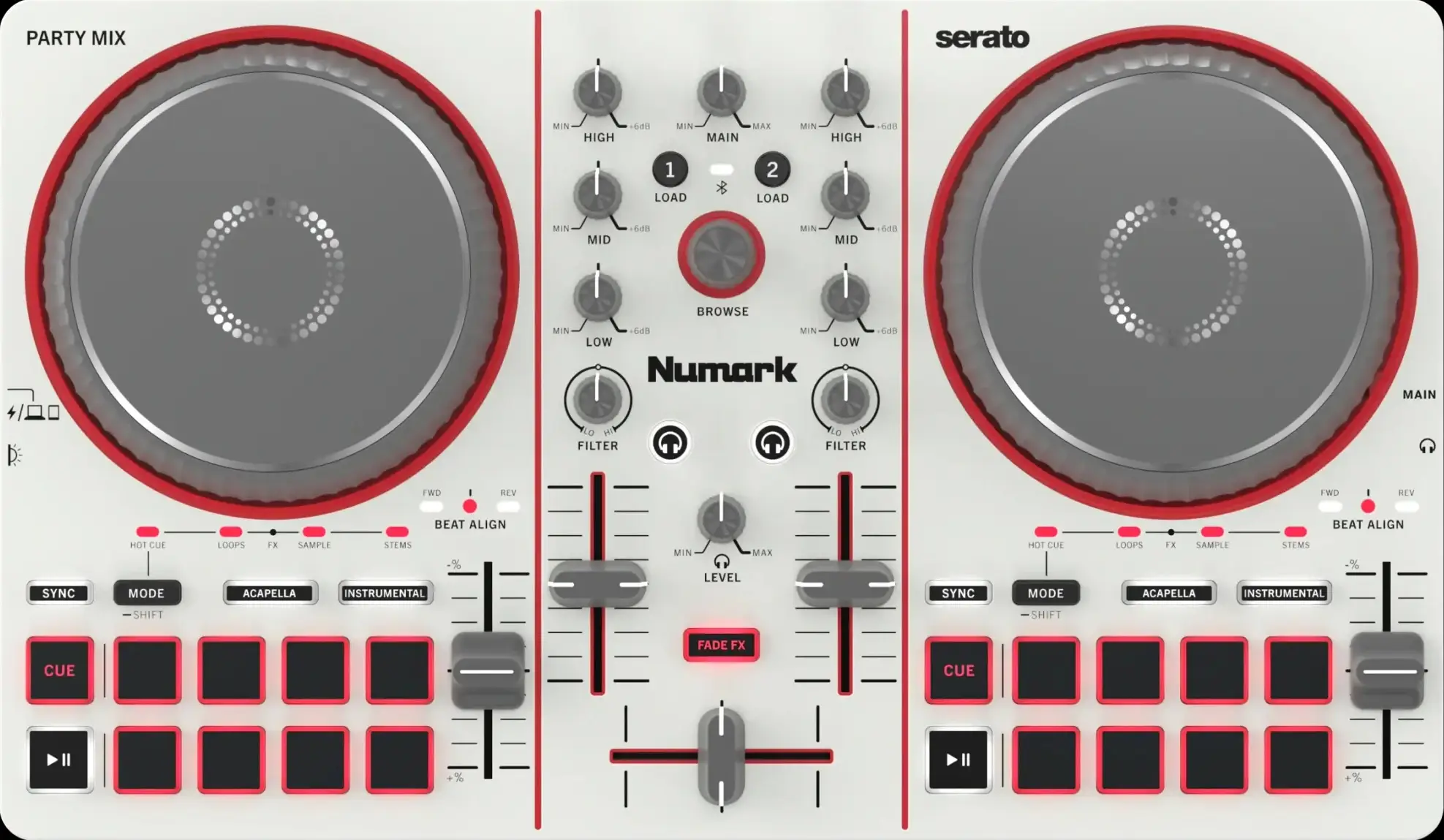
Software DJ Compatible:
- Free
- Serato DJ Lite
- License purchased separately
- Serato DJ Pro
- Algoriddim DJay Pro & iOS/Android
- Virtual DJ
Features:
- Large number of functions and Pad modes.
- Dedicated controls for stems.
- Fade FX for effect-based transitions using the crossfader with DJay Pro.
Strengths
- 3-band EQ.
- A lot of features for the price
- Great value for money, especially when used with Algoriddim DJay.
Weaknesses
- Many options or buttons cannot be used with Serato DJ Lite.
- minijack output.
Reloop Ready
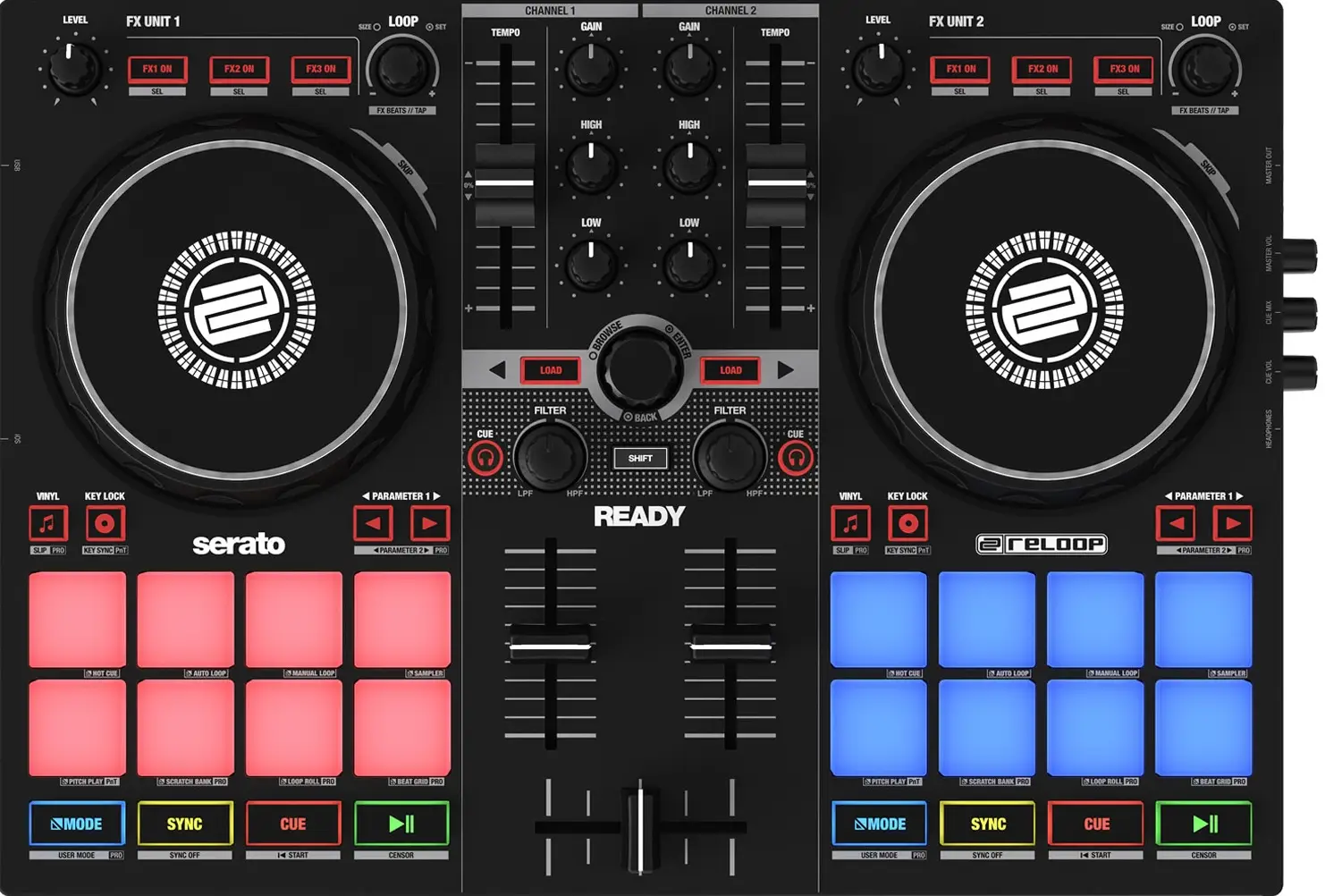
Software DJ Compatible:
- Free
- Serato DJ Lite
- License purchased separately
- Serato DJ Pro
- Algoriddim DJay Pro & iOS
- Virtual DJ
Features:
- Great value for money.
- Dedicated effect controls for Serato.
- Multiple Pad Modes.
- RGB pads.
- Mainly aimed at home use.
Strengths
- Extremely portable.
- Great value for money.
- Long Pitch faders considering the size of the controller.
- Large number of controls.
Weaknesses
- Only 2 EQ bands.
- RCA audio output.
Pioneer DJ DDJ FLX-4
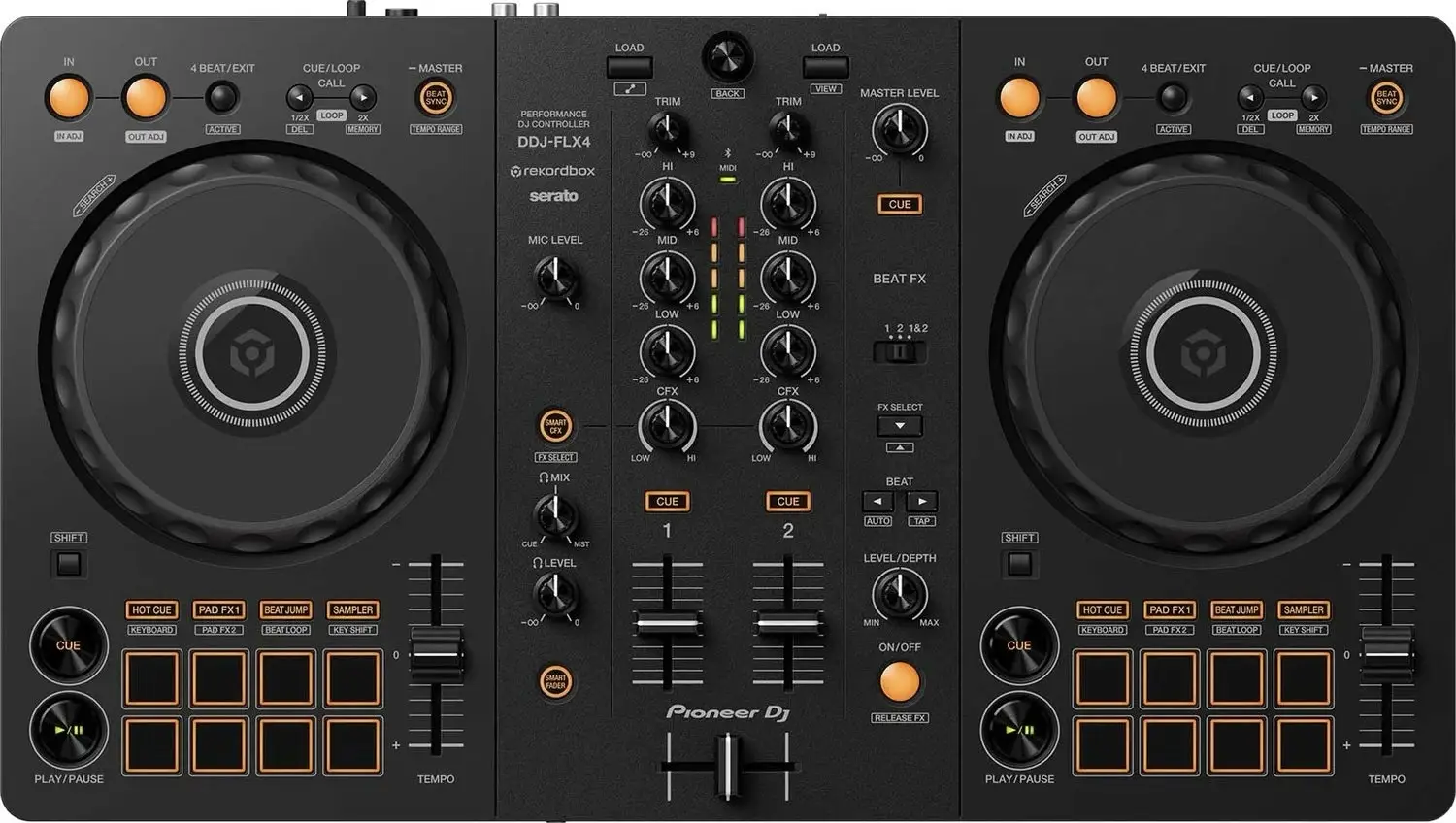
Software DJ Compatible:
- Free
- Rekordbox & Rekordbox iOS/Android
- Serato DJ Lite
- License purchased separately
- Serato DJ Pro
- Algoriddim DJay Pro & iOS/Android
- Virtual DJ
- Traktor Play
Features:
- Great value for money.
- Large number of controls.
- Allows full use of Rekordbox DJ at an entry-level price.
- Beginner assistance functions such as Smart CFX and Smart Fader.
Strengths
- Allows you to DJ using a computer or phone / tablet.
- Extremely portable.
- Many of the controls found on professional equipment in a smaller format.
Weaknesses
- RCA audio output.
Native Instruments Traktor MX2
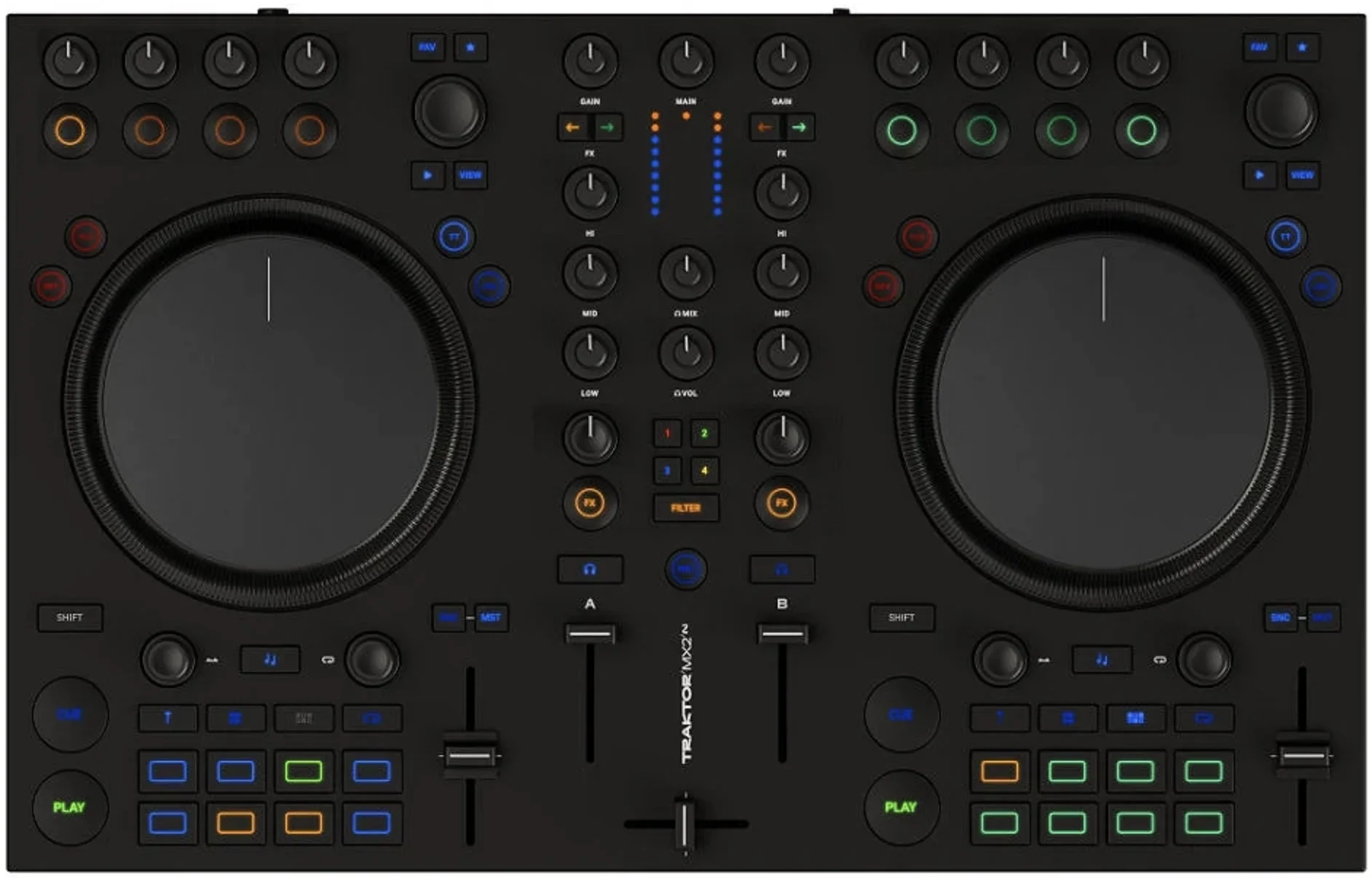
Software DJ Compatible:
- Free
- Traktor Pro
- License purchased separately
- Virtual DJ
Features:
- Spacious construction for an entry-level controller.
- Complete effect controls using 4 knobs.
- Pattern player controls for sequencing and triggering drum patterns.
Strengths
- Expanded effect controls.
- Hardware control of filter parameters.
- Dedicated controls for stems and Pattern Player.
Weaknesses
- Limited Pad Modes compared with many other models.
- RCA & minijack audio outputs.
- Requires an external power supply.
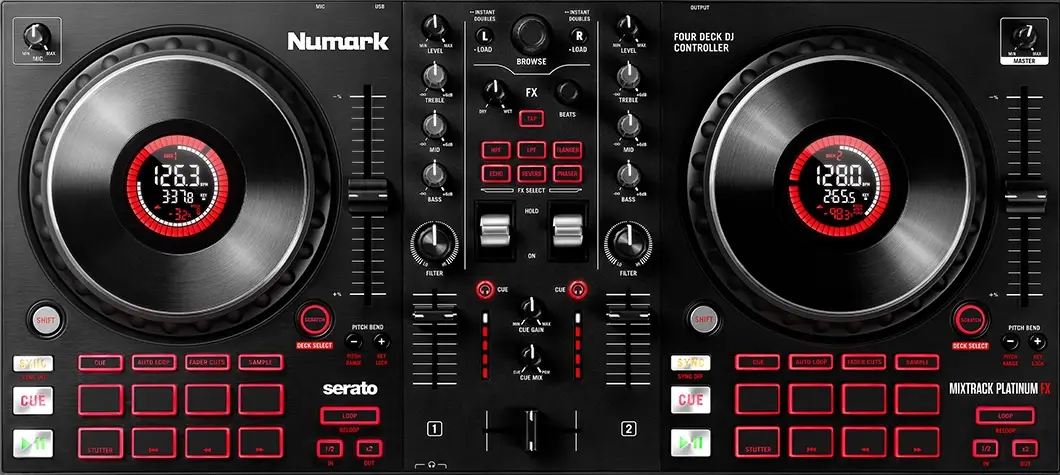
Numark Mixtrack Platinum FX
Software DJ Compatible:
- Free
- Serato DJ Lite
- License purchased separately
- Serato DJ Pro
- Algoriddim DJay Pro & iOS/Android
- Virtual DJ
Features:
- Large number of controls.
- Long Pitch faders.
- Paddle-style effect controls.
- Ability to control 4 channels.
- Track information displayed on the jogwheels.
Strengths
- Jogwheels with a good response for scratch.
- Dedicated effect controls.
- Dedicated controls for loops and effects.
Weaknesses
- Controlling 4 channels can be risky, as there are no separate controls for the second deck layer.
- RCA Master output.
Notes:
- There is a Mixtrack Pro Fx version available at a slightly lower price, without a display on the jogs, which can only control 2 channels.
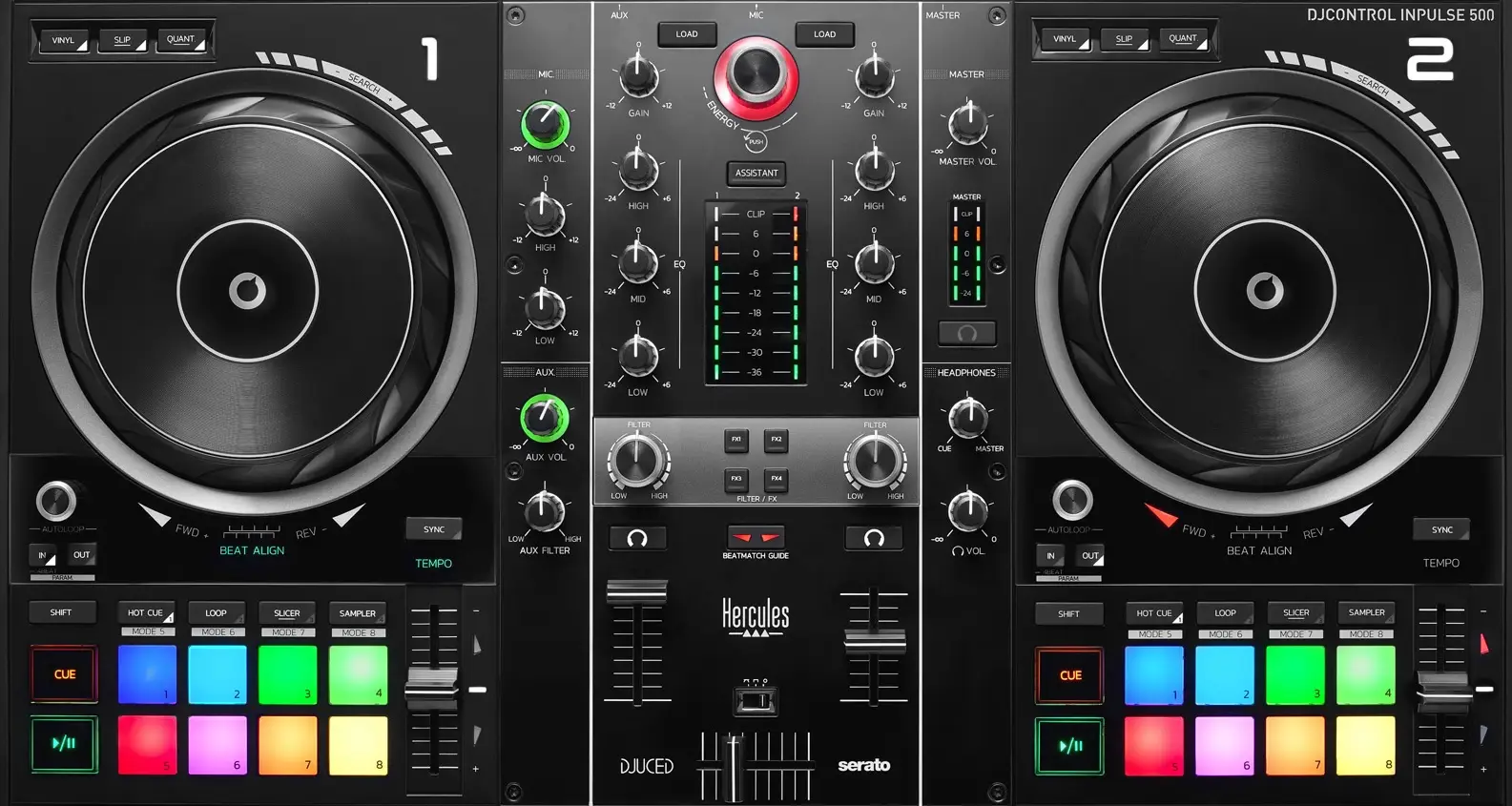
Hercules DJControl Inpulse 500
Software DJ Compatible:
- Free
- DJuced
- Serato DJ Lite
- License purchased separately
- Serato DJ Pro
- Algoriddim DJay Pro & iOS/Android
- Virtual DJ
Features:
- Multiple Pad Modes.
- Microphone and auxiliary inputs.
- RGB pads.
- Feet for raising the equipment to the height of more professional hardware.
Strengths
- Large number of controls.
- Jack and RCA master output.
- Volume control and 2-band EQ for the microphone and auxiliary inputs.
Weaknesses
- Software effects can only be controlled through the filter.
- Short Pitch faders.
Conclusion
The Party Mix III is recommended for those looking to get started on a budget; the Reloop Ready, for those who prioritize portability; and the Mixtrack Platinum FX, for those looking for large jog wheels and pitch faders.
However, when it comes to value for the money, the DDJ FLX4 is the best of all these models. It’s the only one that offers full access to professional software at a very competitive price without any extra fees—and it’s also the software used by most professional teams.
If you’d rather avoid rekordbox or the Pioneer DJ/AlphaTheta ecosystem, all the other options are good choices. Keep in mind, though, that—except for the Traktor MX2—you’ll have to pay for licenses or subscriptions, and the total cost will exceed the controller’s initial price.
Mid-range
Why choose a controller from this range?
In general, mid-range controllers are known for offering more features, often providing 4 channels and more comprehensive options than entry-level models.
Models
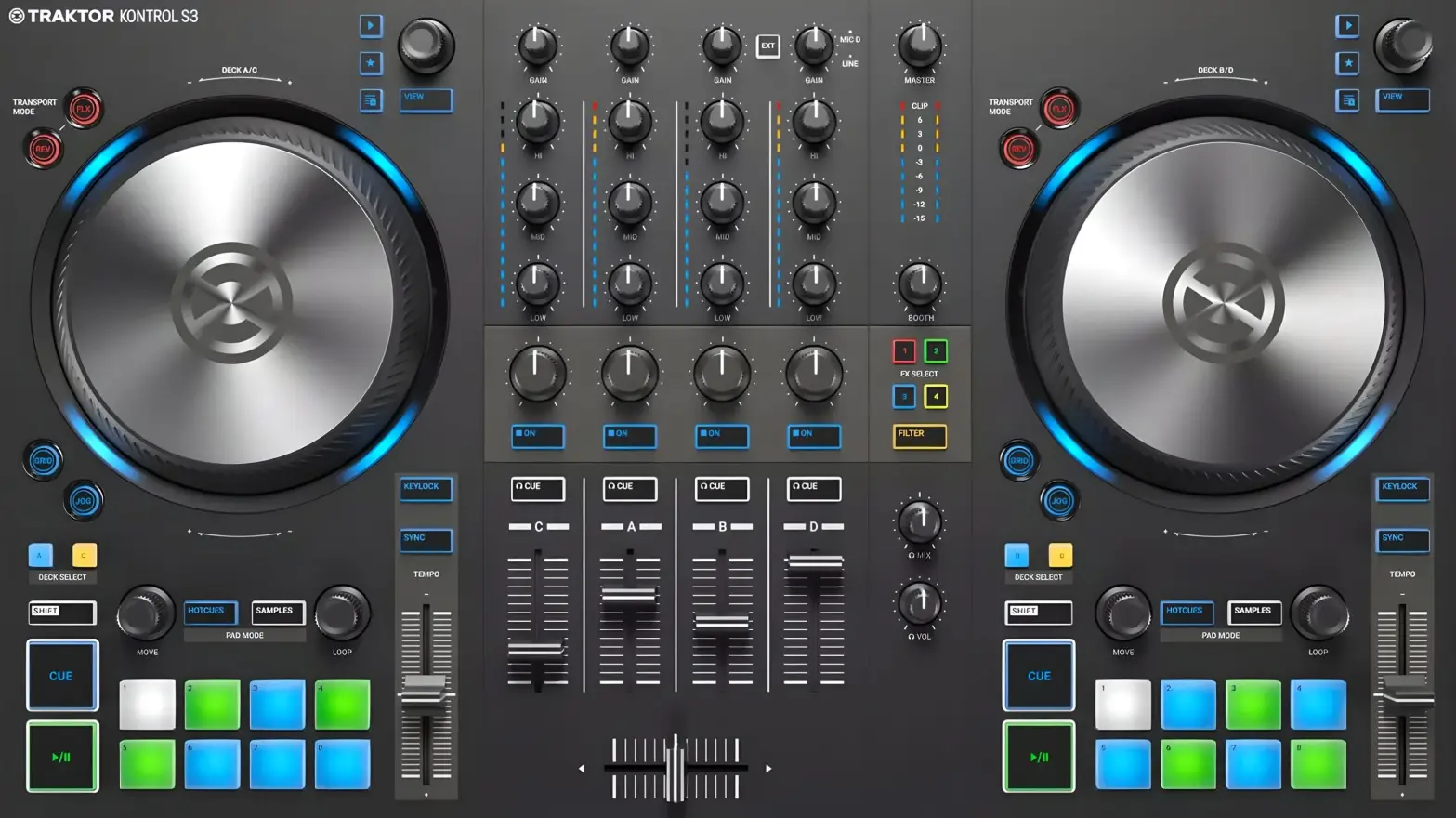
Traktor Kontrol S3
Software DJ Compatible:
- Free
- Traktor Pro
- Serato DJ Lite
- License purchased separately
- Serato DJ Pro
- Algoriddim DJay Pro & iOS
- Virtual DJ
Features:
- 4-channel controller.
- XLR microphone input and RCA auxiliary input.
Strengths
- Outputs: XLR and RCA master outputs, plus a Booth output for monitors.
- Ability to assign effects to external inputs.
- Value for money.
Weaknesses
- Designed primarily to work with Traktor.
- The pads offer fewer modes than other controllers in this range.
- The only effect controls are accessed through the filter knob, meaning that the effect and EQ are applied at the same time.
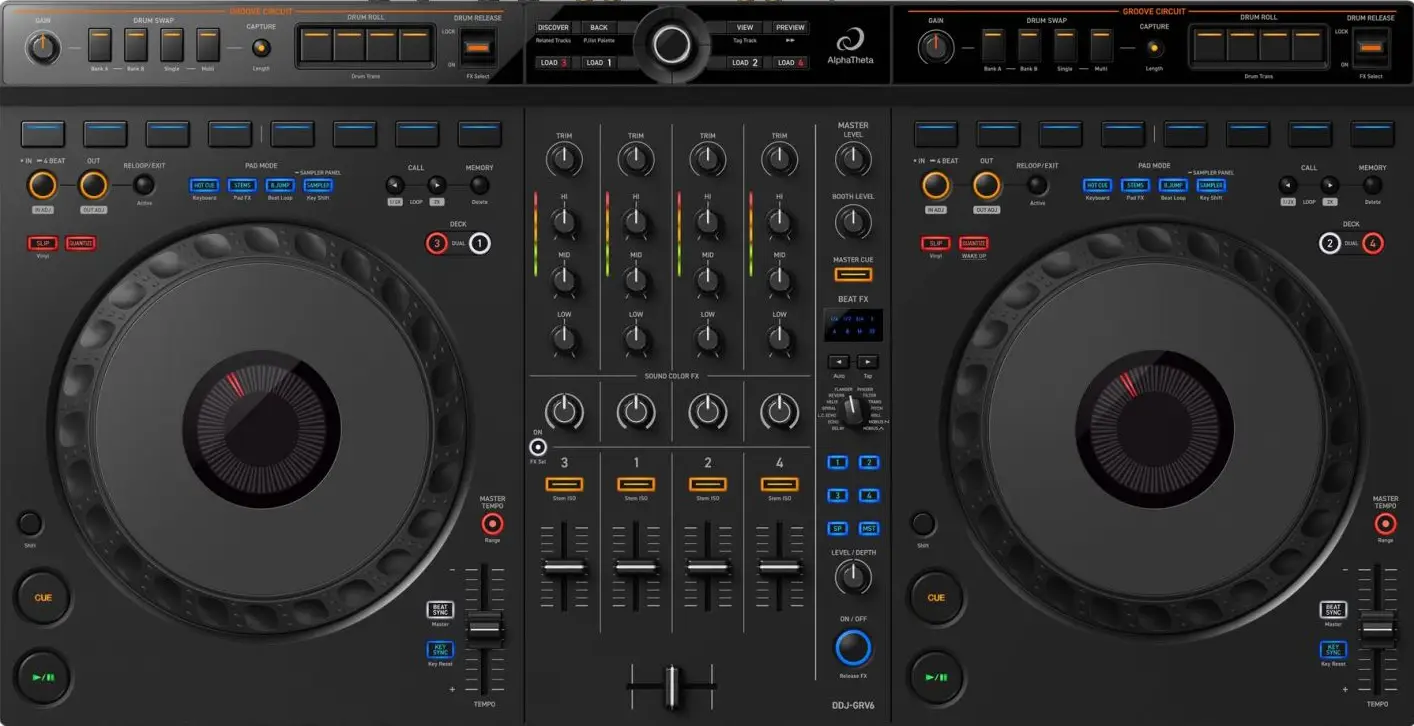
AlphaTheta DDJ Grv 6
Software DJ Compatible:
- Free
- Serato DJ Pro
- Serato DJ Lite
- Rekordbox & Rekordbox iOS/Android
- License purchased separately
- Algoriddim DJay Pro & iOS/Android
- Virtual DJ
Features:
- Four-channel controller.
- Layout inspired by Alphatheta CDJ players and DJM mixers.
- Control panel with exclusive functions for stems: Groove Circuit in Rekorbox and Stems FX in Serato Dj.
- DJM-style effect controls.
Strengths
- Large Jogwheels.
- Balanced Jack Master output and RCA monitor output.
- Dedicated controls for stems.
- Effects section inspired by DJM mixers.
Weaknesses
- Short Pitch faders.
- Does not have any inputs.
- Limited control in Rekorbox IOS: channels 3 and 4, as well as groove circuit, only work in the desktop version.
Hercules DJ Control Inpulse T7
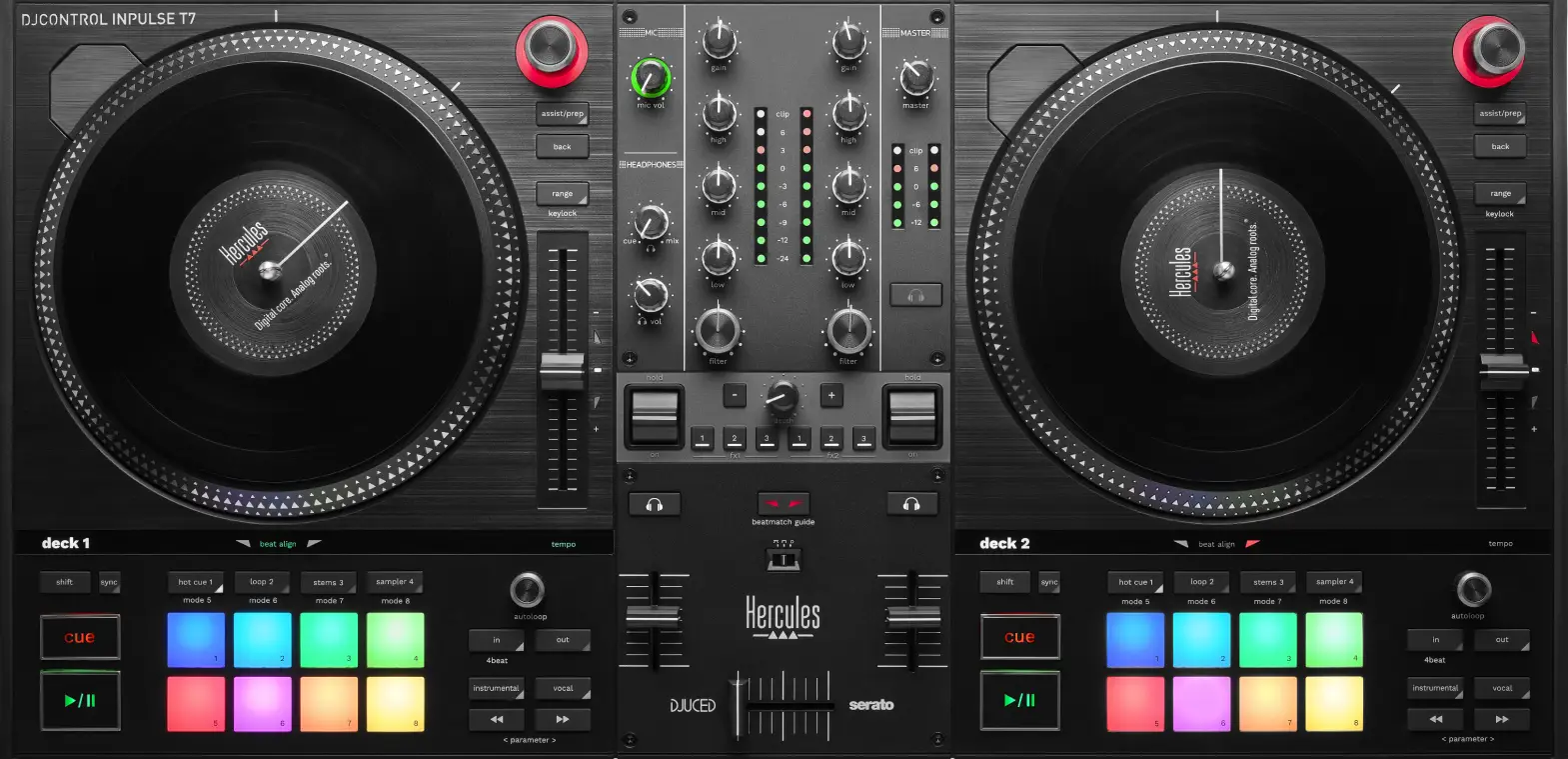
Software DJ Compatible:
- Free
- DJuced
- Serato DJ Lite
- License purchased separately
- Serato DJ Pro
- Algoriddim DJay Pro & iOS
- Virtual DJ
Features:
- 7-inch motorised platters.
- Large number of controls.
- Scratch-style design.
Strengths
- The only controller with motorised platters in this price range.
- XLR and RCA master output.
- Long Pitch faders.
- A good option for getting started with scratch.
Weaknesses
- Limited faders for turntablism. (There is an option to replace the plate containing the 3 faders with an innofader version, with installation carried out by the user).
- It is larger and heavier than other controllers in this range.
- It does not have an independent Booth output.
Conclusion
The Traktor Kontrol S3 is an affordable and reliable option for working with four channels in Traktor. The DDJ-GRV6 is the most versatile, both because of its deck layout and its compatibility with rekordbox and Serato DJ Pro.
The Hercules Inpulse T7, although it only offers two channels, is the best choice for those looking for motorized decks and an experience closer to traditional scratching.
Controllers without jogs
Controllers without jog wheels aren’t the most common on the market, and the variety of available models is quite limited. However, they can be very appealing to DJs who prioritize portability, workflow customization, or integration with an external mixer.
By eliminating jog wheels, these devices focus the available space on controls for mixing, navigation, effects, loops, pads, and managing different decks. This allows for much more compact professional setups than those based on a conventional controller.
Within this category, we can distinguish between two types of products:
- Compact controllers with an audio interface, capable of operating as the central component of the setup.
- Modular MIDI controllers, designed to work alongside a mixer, an audio interface or other devices.
In this section, we’ll take a closer look at the Reloop Mixtour Pro, which features mixing controls and an audio interface, as well as two of the most relevant modular models for the DJ booth: the Traktor X1 MK3 and the Allen & Heath Xone K3.
Reloop Mixtour Pro
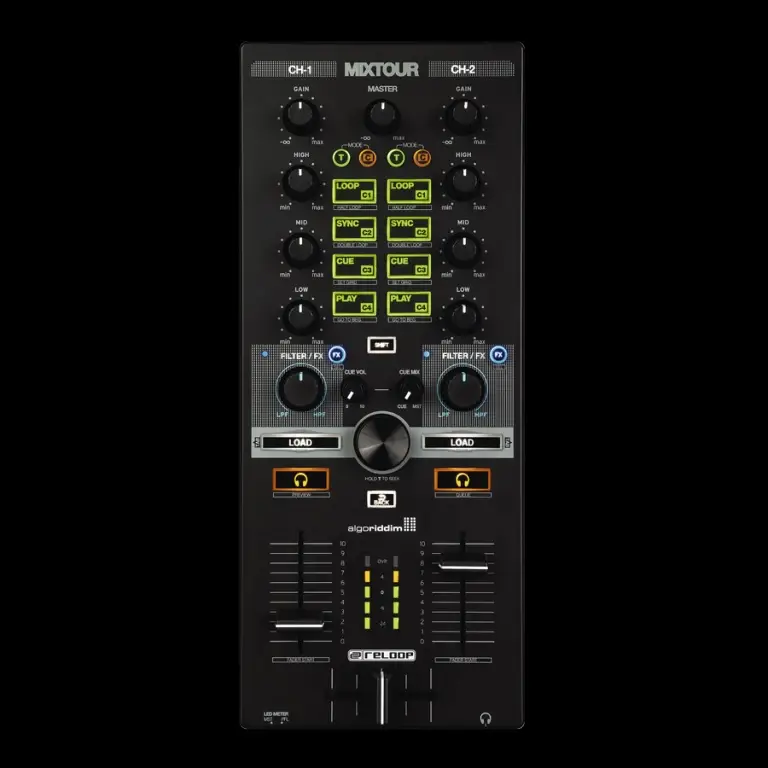
Software DJ Compatible:
- License purchased separately
- Algoriddim DJay Pro & iOS/Android
- Virtual DJ
Features:
- 4-channel controller designed for Algoriddim DJay Pro.
- Multiple control layers for each button.
Strengths
- Large number of controls in a very compact format.
- Useful for experienced users who want something compact.
- Multiple control layers for each button.
Weaknesses
- Advanced use requires considerable practice, as all the physical buttons control several different options.
- RCA Master output.
- Does not have any inputs.
- Controlling 4 channels can be confusing.
MIDI models: Traktor X1 MK3 and Allen & Heath Xone K3
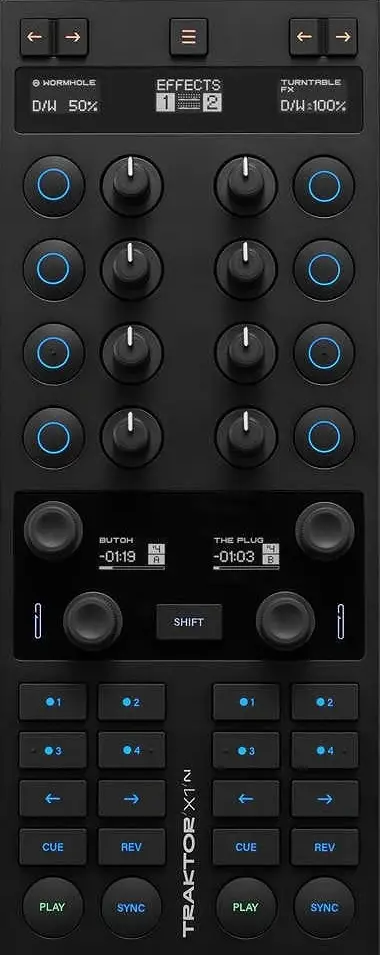
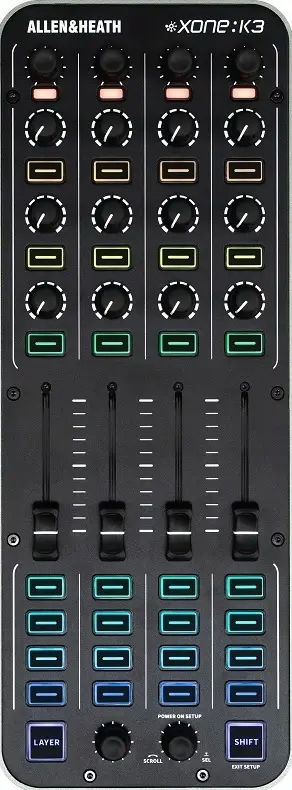
| Software DJ Compatible: | Free | License purchased separately |
|---|---|---|
| Traktor X1 Mk3 | - Traktor Pro | |
| Xone K3 | - Algoriddim DJay Pro & iOS - Virtual DJ |
Features:
- MIDI controller.
- Multiple control layers for each button.
- Extremely portable.
- MIDI editing and assignment software.
Strengths
- Useful for users who want to expand the number of controls and choose how to assign them via MIDI.
- It can be used with any software that allows MIDI control mapping.
Weaknesses
- It does not include an audio interface, meaning that it depends on another controller or sound card.
- It is a MIDI controller, even though it may look like a mixer.
- The MIDI editing and assignment software may not be intuitive for inexperienced users.
Which one is right for me?
The Traktor X1 MK3 is more straightforward for controlling two decks, while the K3 is more flexible for managing four channels, samples or creating custom mappings.
The Reloop Mixtour Pro is the best option if you're looking for a compact, all-in-one unit, since it's the only one that includes an audio interface.
Final conclusion
There’s no such thing as a perfect controller for everyone. The best choice will depend on the software you want to use, the number of channels, connectivity, portability, and, above all, your DJing style.
Before buying, it’s a good idea to think about which features you really need and check what license each device includes. An affordable controller may be more than enough to get started or for portable use, while paying more will only make sense if you want to take advantage of its controls, connections, or additional features.
Ultimately, it’s not about buying the most feature-packed device, but the one that best fits your workflow and allows you to continue evolving without hitting its limitations too soon.
Whatever controller you choose, what really makes the difference is knowing how to get the most out of it. In our DJ Course we teach you the fundamentals to start DJing with your own gear, from scratch.
Author
Subscribe to the newsletter
Receive resources, tutorials and exclusive content directly in your inbox.
Got questions?
Put it into practice and share it with the community
Academy
Want to go deeper?
Our courses are designed to take your sound to the next level. Learn the what, the how and the why.